Inspect a session
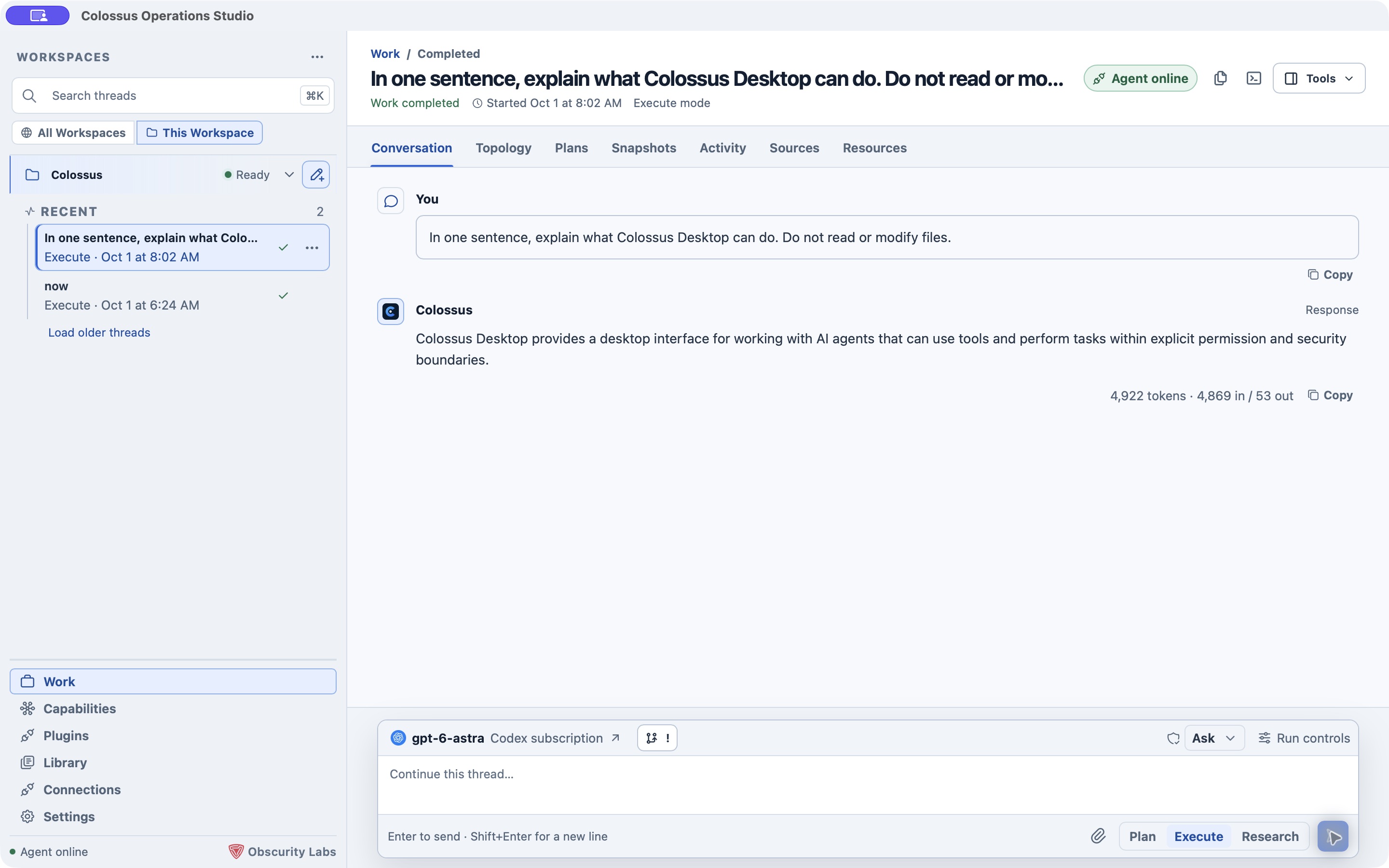
Open a thread from Work. Above the conversation, Desktop shows views for the different records associated with that session. You can move between them without starting another run.
| View | What you will find |
|---|---|
| Conversation | Your prompts, Colossus responses, and controls for continuing the thread. |
| Topology | A session map of related agents and work, context, research, and outputs when those records exist. |
| Plans | Durable plans released in the session, with their revision and status. Open a plan to read it or request a revision. |
| Snapshots | Immutable context summaries created when model context is compacted. They do not replace canonical conversation history. |
| Activity | The run timeline, including released tool activity and status changes. |
| Sources | Web and workspace citations released by research across the session. Workspace citations can open the referenced file. |
| Resources | A single place to open plans, sources, snapshots, artifacts, and related durable records. |
The right-side Thread details tool shows the run type, status, duration, selected workspace, participants, and resource counts. Its resource links open the matching session view. Delegated agents appear when the runtime releases them for the thread.
Review a plan
Start in Plan mode from the Work composer. When the result is released, open Plans and choose Read plan. The plan view shows its current revision and status. Choose Revise to continue planning when that action is available, or Open workflow to work through its authenticated approval and execution controls. Those actions are separate from merely reading the plan text.
For the control loop behind long-running work, see Planning. The CLI and TUI have their own plan commands, while Desktop presents plan actions in cards and session views.
Follow sources and outputs
In Sources, web citations open in your browser and workspace citations open in Desktop's file preview when the file is available. Resources collects released artifacts and durable records without requiring you to scroll back through the full conversation. Use the Artifacts tool to preview outputs beside your thread, or the Library destination to see released artifacts across the current Desktop session.
If a view is empty, the session has no released record of that kind yet. An empty Snapshots view, for example, simply means no context compaction snapshot has been produced for that session.